🚀 BricsCAD V26.2 現已推出

搜尋

BricsCAD® V26

加速從設計到生產流程的新功能

免費試用30天
立即購買
V26 Launch keynote

BricsCAD® V26 發表

了解我們在線上活動中公佈的所有資訊。觀看我們產品團隊展示新功能,幫助您更快完成專案。

最新功能

BricsCAD® V26 的新功能

了解此版本如何協助從事一般設計、製造、建築分包和土地測量的使用者。
超過60項額外功能,助您以最快速度從初始設計到完成且精確的產生圖面。

Filter by:

一般設計創新

3D CAD model of a scaffolding structure with blue frames, perforated metal platforms, and gray tubular supports with clamp connectors.

BricsCAD

新增

BricsCAD 輔助

由人工智慧驅動的聊天面板,可協助使用者快速查找文件、操作技巧及指引,所有功能皆直接整合於 BricsCAD 介面中。


V26.2

BricsCAD®特有


人工智慧驅動工具

Siemens Teamcenter document management interface showing a truss drawing named "CAPRIATA WILLY" with properties and a 2D preview.

BricsCAD 機械

新增

Siemens Teamcenter 整合

支援產品生命週期管理(PLM),並整合 BricsCAD 與 Teamcenter,以更有效地管理資料和工作流程。

V26.2

BricsCAD "Open from Vault" dialog showing a file browser with folder tree and drawing files listed with revision and check-in details.

BricsCAD 機械

新增

Autodesk® Vault 整合

支援產品資料管理(PDM),並與 Autodesk® Vault 整合,以更有效地管理資料和工作流程。

V26.2

Autodesk Construction Cloud logo in white text on a black background.

BricsCAD BIM

新增

Autodesk® Construction Cloud 整合

將 BricsCAD 與 Autodesk® Construction Cloud 整合,以實現更順暢的 AECO 協作、更佳的資料流動,以及更緊密串聯的工作流程。

V26.2

BricsCAD Export dialog showing the Select File Format dropdown menu with IFC file highlighted among various format options.

BricsCAD BIM

新增

Bentley ProjectWise 整合

將 BricsCAD 與 Bentley ProjectWise 整合,以實現更順暢的 AECO 協作、更強大的資料管控,並與相關產業工作流程無縫銜接。

V26.2

Filtering by property-based selection

BricsCAD

新增

透過性質篩選

在「篩選」面板中執行基於性質的查詢,以選取、取消選取、新增或移除物件。可以在面板或指令行中執行查詢,並儲存及重複使用篩選條件。
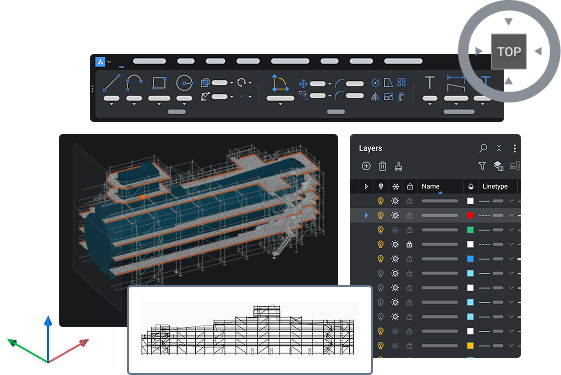
V26.2

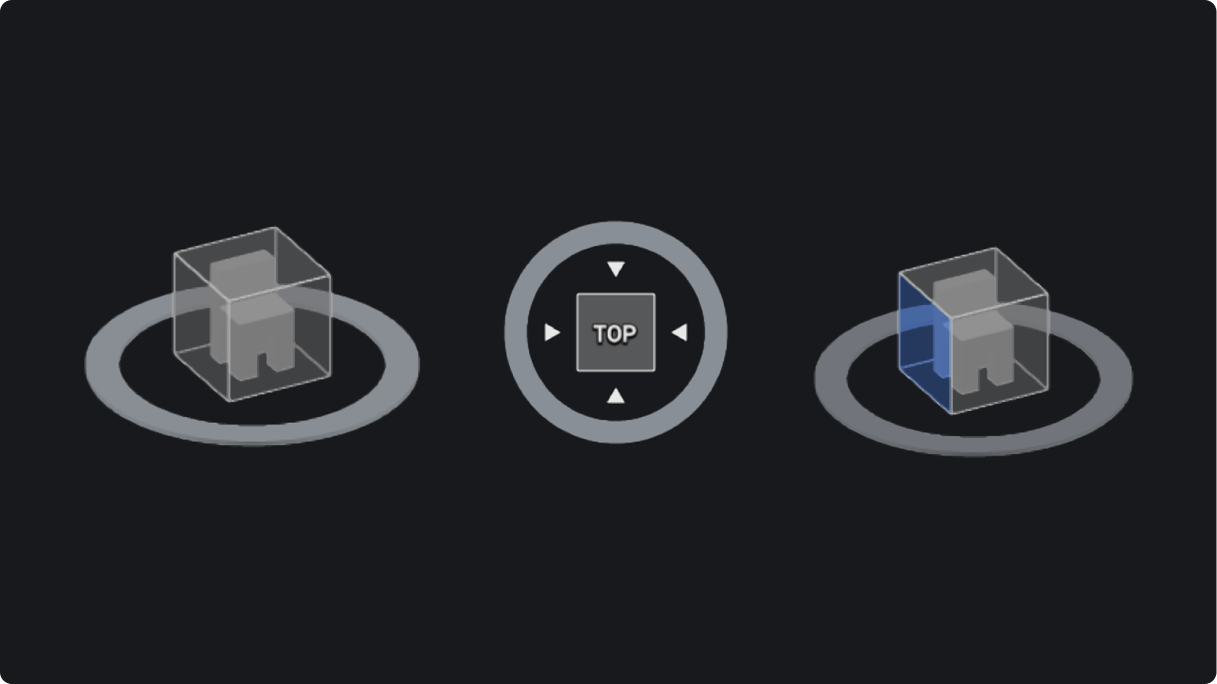
Look From widget

BricsCAD

增強

LookFrom 介面工具集

巡覽工具可輕鬆選取立方體上所需的位置,並動態重新定位預設檢視。
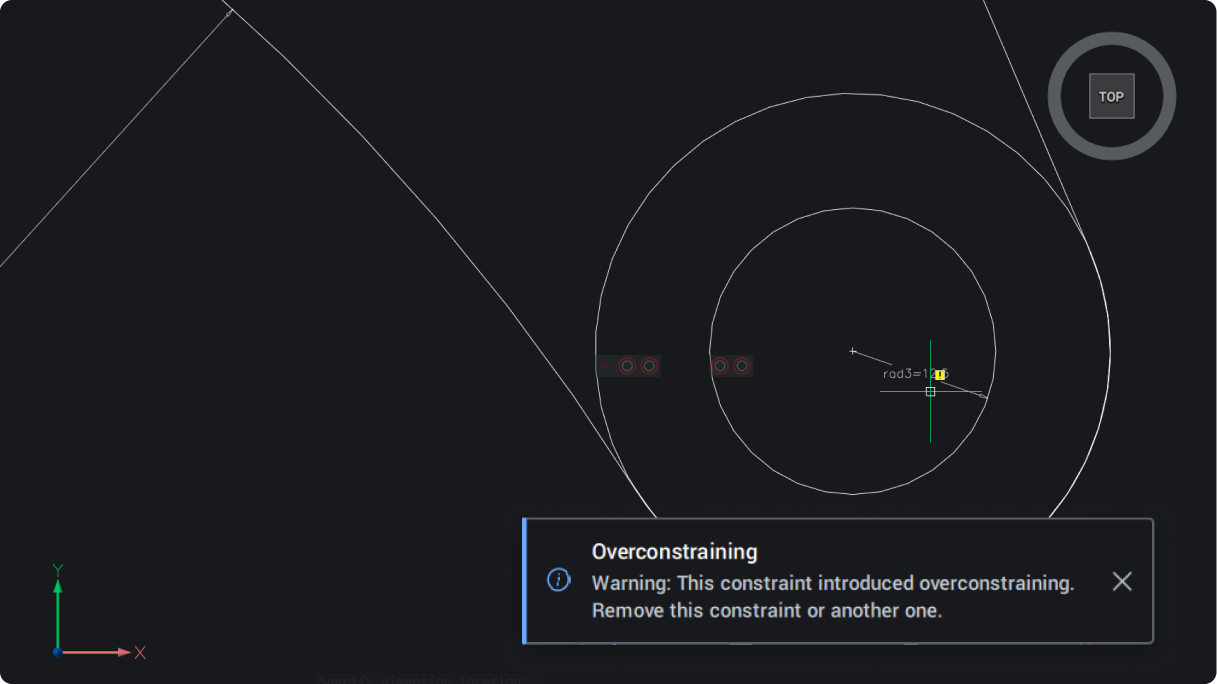
Notification message dialog box

BricsCAD

增強

更新通知訊息對話框

一致的通知,為產品內的警告和更新提供簡單明瞭的彈出視窗。
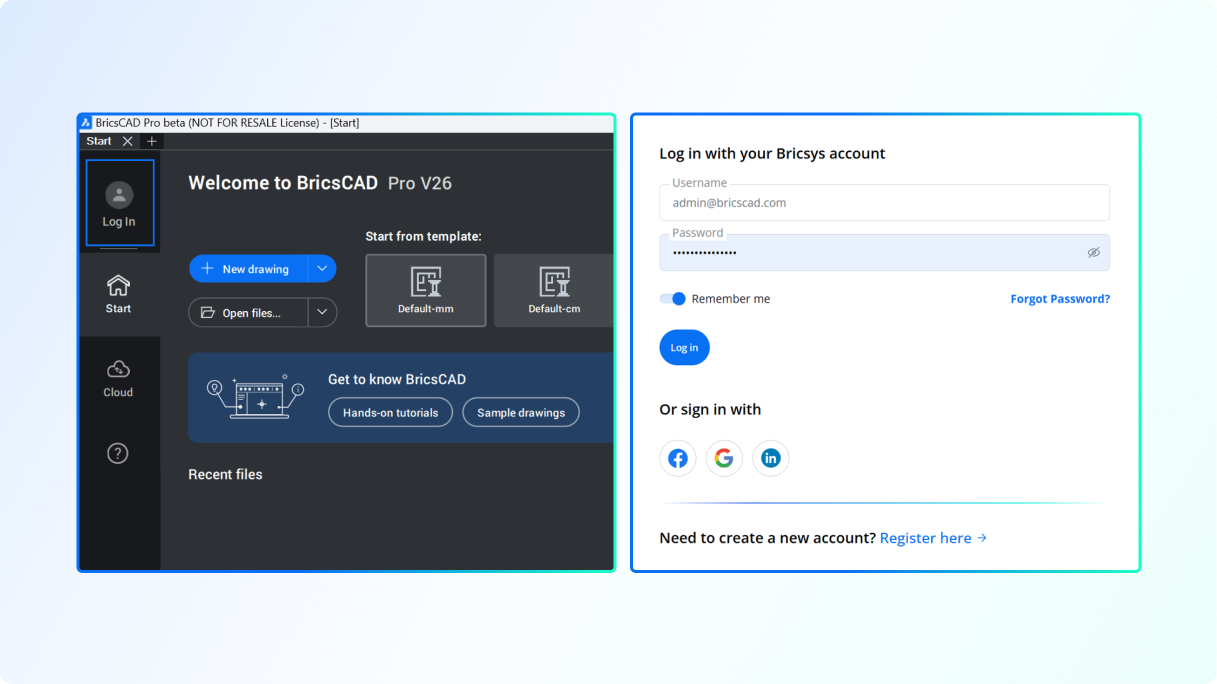
Log in process for analytics authentication

BricsCAD

增強

分析驗證的登入流程

統一的登入方式可簡化瀏覽器驗證,並使各種工具保持一致。

匯入和建立檔案

BricsCAD wireframe 3D model of a car body structure displayed with green, red, and white mesh lines on a dark background.

BricsCAD 測量工具集

增強

Leica Infinity 整合

透過全新的 LEICACONNECTOR 指令,即可與 Leica Infinity 測量軟體建立直接的即時連線。

V26.2

BricsCAD®特有

BricsCAD interface showing Point Cloud Profile Sweep tool applied to an outdoor scene with a vertical plane selection.

BricsCAD 測量工具集

新增

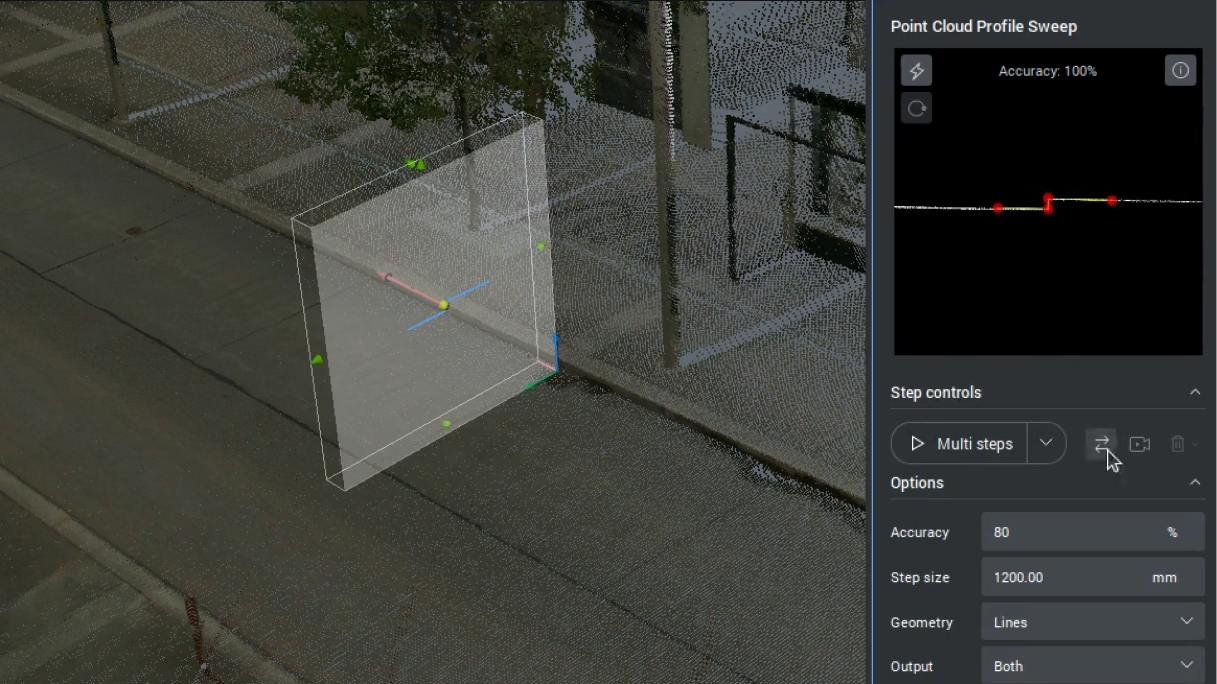
線性特徵偵測

可直接從點雲建立線性要素,輸出選項包含線、聚合線、civil 串或曲面。


V26.2

BricsCAD®特有


人工智慧驅動工具

BricsCAD interface showing a Blocks panel with a list of Imperial blocks and a right-click context menu with options like Save Block.

BricsCAD

增強

使用動態圖塊插入

在使用動態圖塊插入功能及調整其參數時,確保動態圖塊的行為一致且相容。

V26.2

BricsCAD Tool Properties dialog for a Door Imperial block, showing insert settings alongside the Tool Palettes panel.

BricsCAD

增強

工具選項板中動態圖塊的性質

透過工具選項板中的工具性質設定動態圖塊參數。

V26.2

Constraint parameters for Dynamic blocks

BricsCAD

實驗性

動態圖塊的限制參數

在動態圖塊中建立約束參數,並將尺寸約束轉換為約束參數(BCPARAMETER)(此功能僅限美國以外的用戶使用)。

V26.2

BricsCAD interface showing a 3D TIN surface terrain model with contour lines and a menu for TIN Surface options.

BricsCAD 測量工具集

新增

匯入與匯出數位高程模型

支援測量數位高程模型 (DEM):GEOTIFF 及 Arc/Info ASCII 網格。能更完善地記錄更廣泛的測量模型。

V26.2

White outline icon of a DWG file on a black background, representing the CAD drawing file format used in BricsCAD.

BricsCAD 機械

增強

支援 AutoCAD® Mechanical 2022 格式的 DWG 檔案

新增對 AutoCAD® Mechanical DWG 檔案的支援,現已於 v2022 版本中提供,以協助處理舊版檔案。

V26.2

Icon of a .dwg file with a cyan checkmark badge, symbolizing DWG file compatibility or approval.

BricsCAD 機械

增強

提升機械 DWG 檔案的穩定性

開啟新版及舊版機械製圖 DWG 檔案時的穩定性已獲得提升。

V26.2

BricsCAD interface showing a 2D architectural floor plan with dimension annotations in feet and inches.

BricsCAD

增強

QDIM 進階模式,以縮短標註時間

新增多方向鏈接標註功能,並提供詳細度設定與即時預覽選項。只需執行一次指令,即可繪製所有相關標註線。


V26.2

BricsCAD®特有


人工智慧驅動工具

最佳化與編輯

BricsCAD Tool Properties dialog for a Door - Imperial block, showing insert settings, layer A-Doors, and general properties.

BricsCAD

實驗性

動態區塊的動作性質

現在可以在建立動作後編輯其性質,這有助於提升使用動態圖塊時的作業效率(此功能僅限美國以外的用戶使用)。

V26.2

BricsCAD dialog for creating or editing a block definition, showing a Fluorescent Recessed Imperial dynamic block preview.

BricsCAD

實驗性

動態圖塊的 BEDIT 功能

動態圖塊具備完整的 BEDIT 功能,可進行流暢編輯(僅限美國以外的用戶使用)。
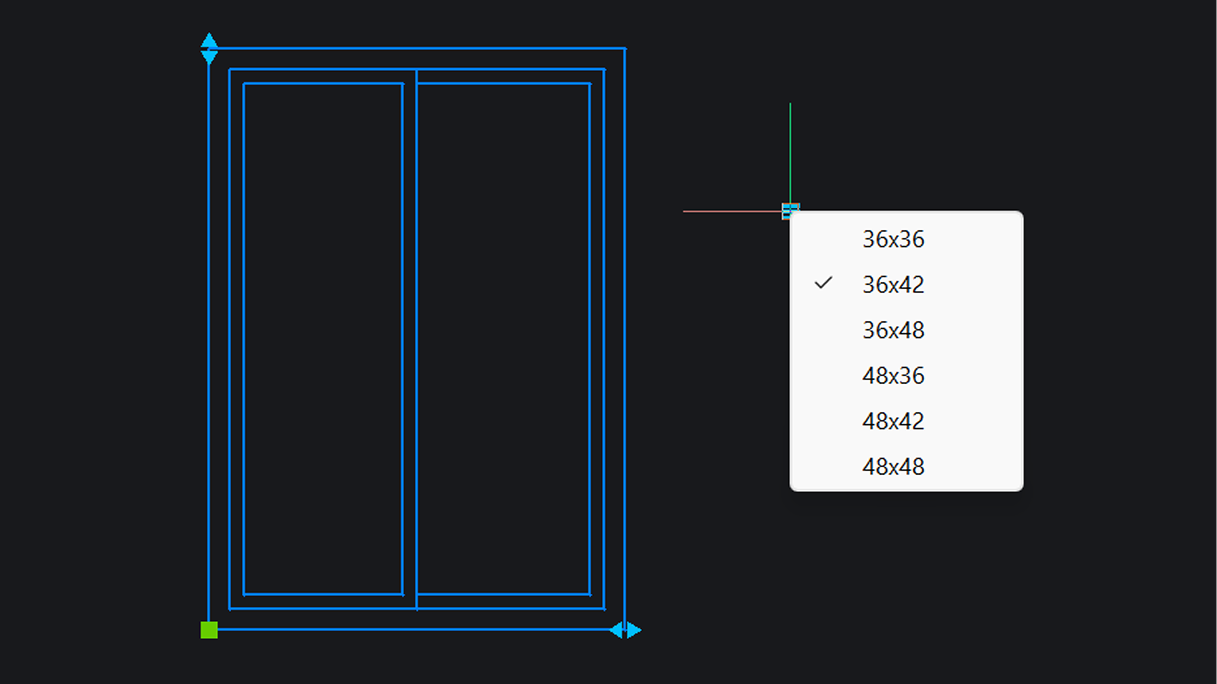
V26.2

BricsCAD interface showing a 2D double window drawing with a size selection dropdown listing options from 36x36 to 48x48, with 36x42 checked.

BricsCAD

實驗性

動態圖塊的查詢表

可為動態圖塊建立查閱表(僅限美國以外的用戶使用)。

V26.2

BricsCAD Text Formatting dialog open, editing large CAD text

BricsCAD

新增

將從 PDF 匯入的 SHX 文字進行轉換與編輯

自動將 PDF 中的 SHX 文字幾何資料轉換為可編輯文字,省去手動重寫的步驟並減少錯誤(PDFSHXTEXT)。


V26.2

人工智慧驅動工具

Grip-based context editing

BricsCAD

新增

基於選取範圍的上下文編輯

根據選取框位置和物件類型顯示的快顯功能表,讓您能更快速地進行編輯。無需啟動獨立指令,即可取得最相關的操作。目前僅支援特定物件,且僅限於 Windows 系統。

V26.2

Notification to improve drawing health

BricsCAD

新增

關於改善圖面狀態的通知

根據在背景中運行的「健康顧問」所提供的建議,找出圖面中可改進之處。

V26.2

BricsCAD®特有

BricsCAD interface showing a 3D sheet metal model with a highlighted bend, and a prompt to select flange or repair options.

BricsCAD 機械

增強

針對性修補的在地鈑金維修服務

選擇要修復的個別曲面特徵(SMREPAIR)。此舉可提供更佳的控制力,並提升模型的完整性。

V26.2

BricsCAD®特有

BricsCAD interface showing a 2D curtain wall section detail with annotations alongside a 3D model of a multi-story facade.

BricsCAD BIM

增強

不同詳細度下的 BIM 資料保留

「匹配性質」功能現可複製所有 BIM 性質,並適用於不同細部層級,確保從專案啟動到交付的整個過程保持一致性。

V26.2

BricsCAD®特有

Faster performance for BIM sections

BricsCAD BIM

增強

BIM 剖面的效能提升

BIM 斷面的進階功能有助於節省時間,並提供精確的施工細節。

V26.2

細部和註解

BricsCAD Import Styles And Settings dialog showing a tree list of Symbol Styles and Civil Points Label Styles to import.

BricsCAD 測量工具集

新增

匯入圖面型式與設定

匯入Civil圖面樣板有助於確保圖面的一致性與標準(IMPORTSTYLESANDSETTINGS)。

V26.2

Drawing views conversion for easier reuse

BricsCAD

實驗性

圖面視圖轉換,以便更輕鬆地重複使用

透過複製原始配置並將其轉換為 BricsCAD 支援的格式,來轉換由舊版 CAD 應用程式所產生的配置,從而減少返工。

V26.2

BricsCAD®特有

BricsCAD Field dialog showing title block revision number property for a parametric block reference, with a 3D motor assembly model visible behind it.

BricsCAD 機械

增強

關聯式標題圖塊與機械資料

透過強化機械性質功能,使用者可直接將機械性質資料插入標題圖塊和註解中。
V26.2

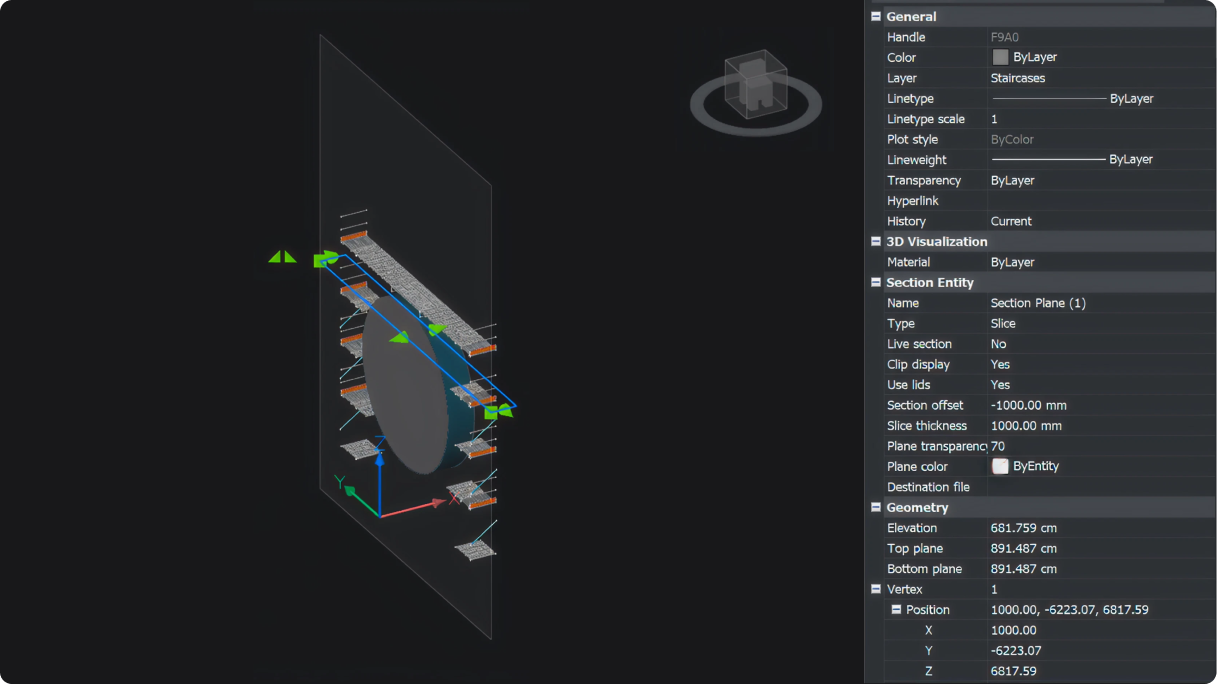
Slice section view

BricsCAD

新增

切片斷面檢視

檢視 3D 模型在指定邊界內的切片,可編輯厚度和偏移位置。
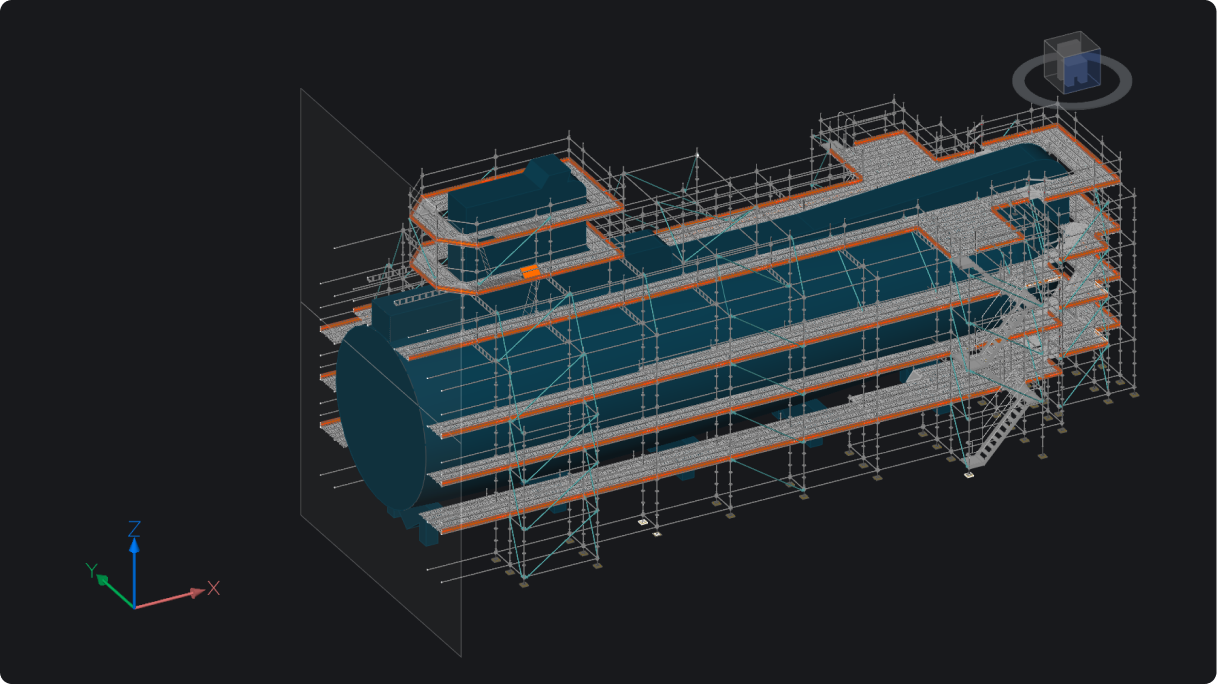
Section view plane visibility

BricsCAD

增強

斷面平面可見性

可根據斷面類型在 3D 模型檢視中切換開啟或關閉顯示斷面平面。
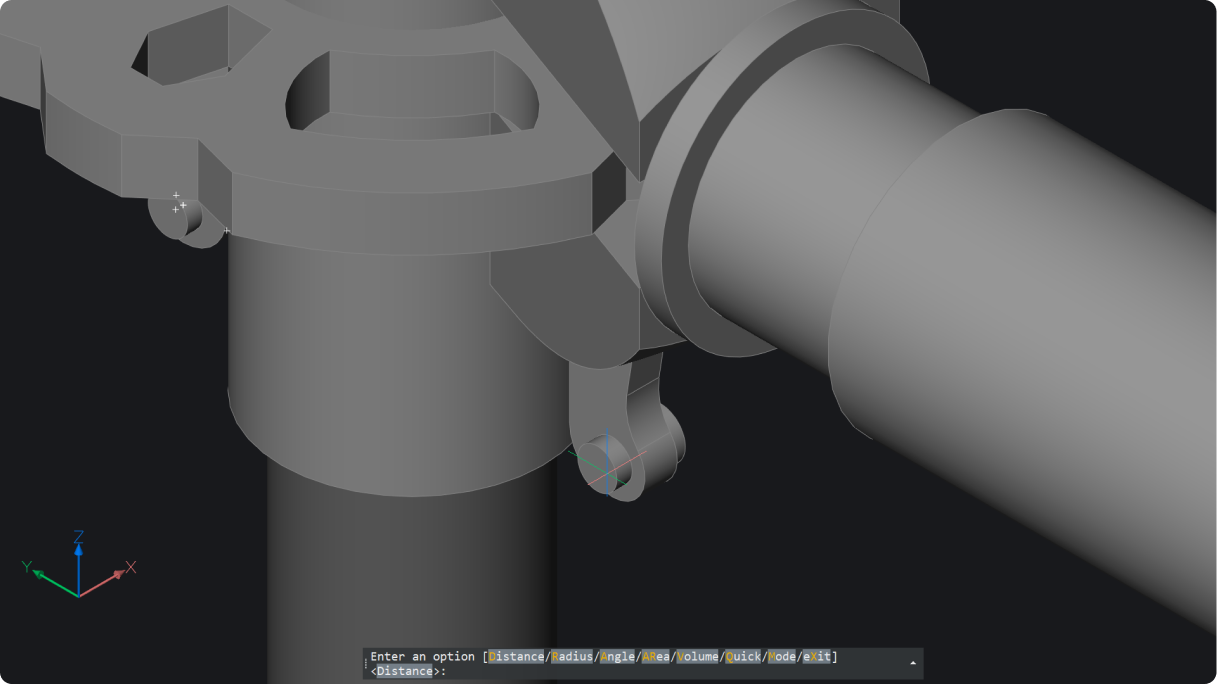
Geometry measure for 2D and 3D

BricsCAD

新增

2D 和 3D 的幾何測量

測量 2D 和 3D 距離、半徑、角度、面積和體積 (MEASUREGEOM)。結果會出現在指令提示和動態工具提示中。
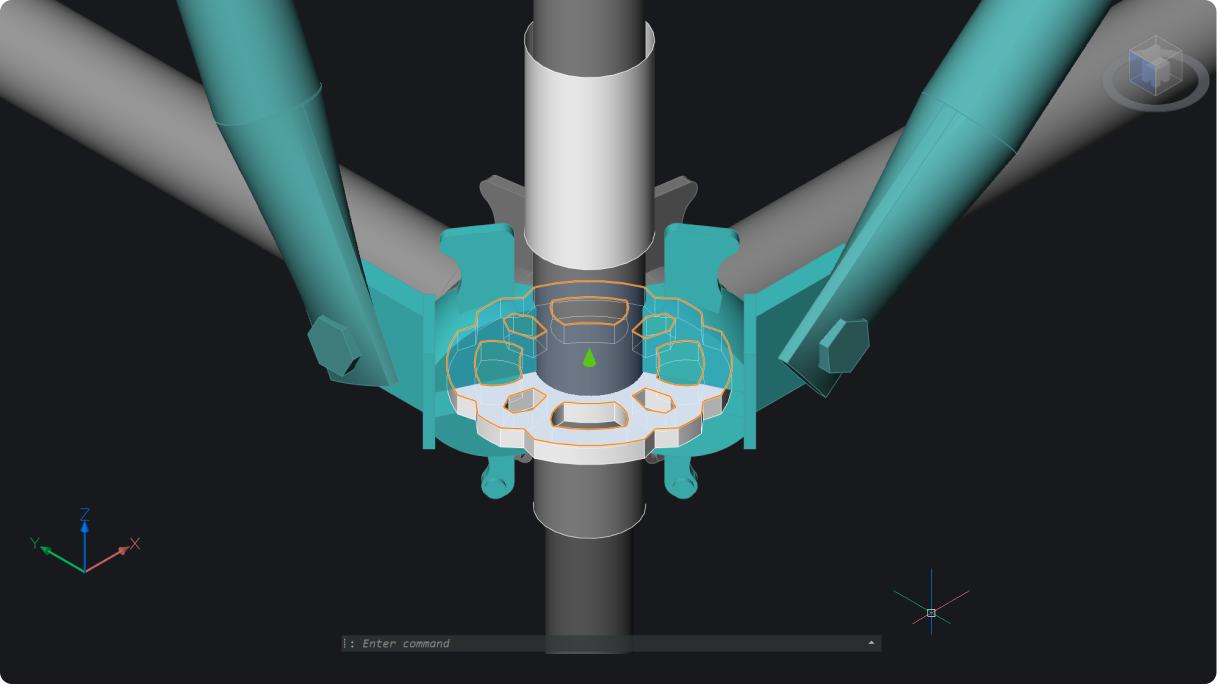
3D section grips for advanced visual controls

BricsCAD

增強

先進視覺控制的 3D 斷面掣點

更容易動態操作 3D 實體的斷面切割。
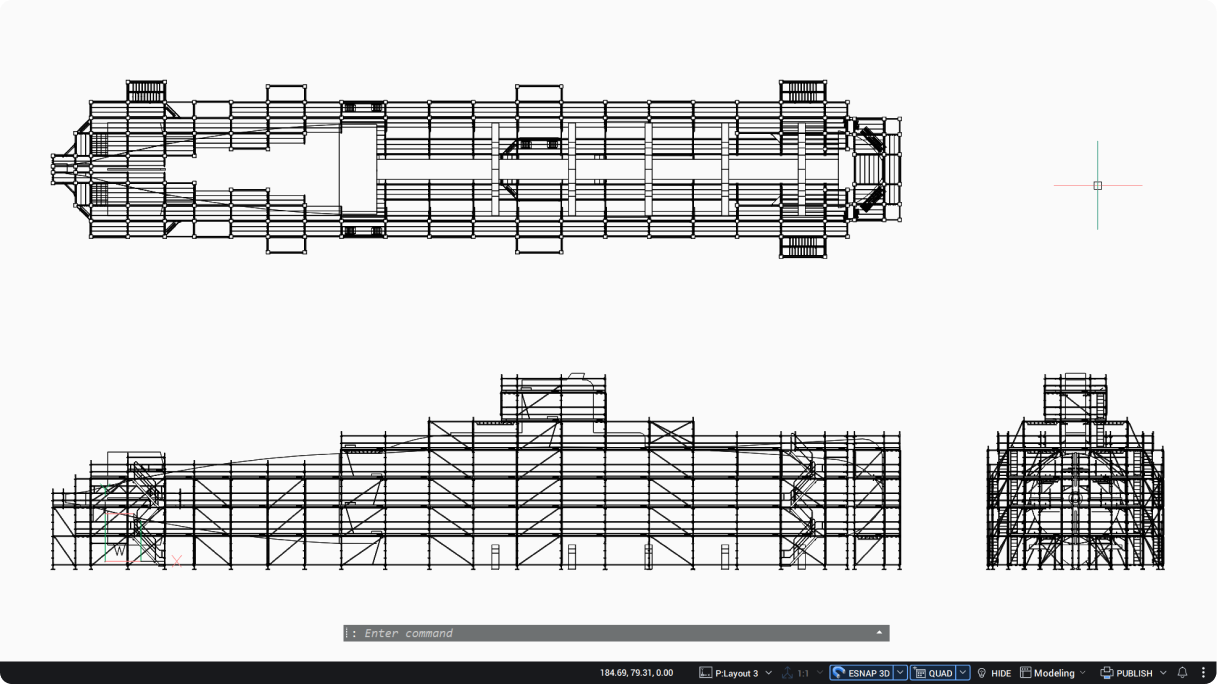
View Base model generation

BricsCAD

增強

視圖基準模型產生

繼續工作,同時產生其他圖面視圖。
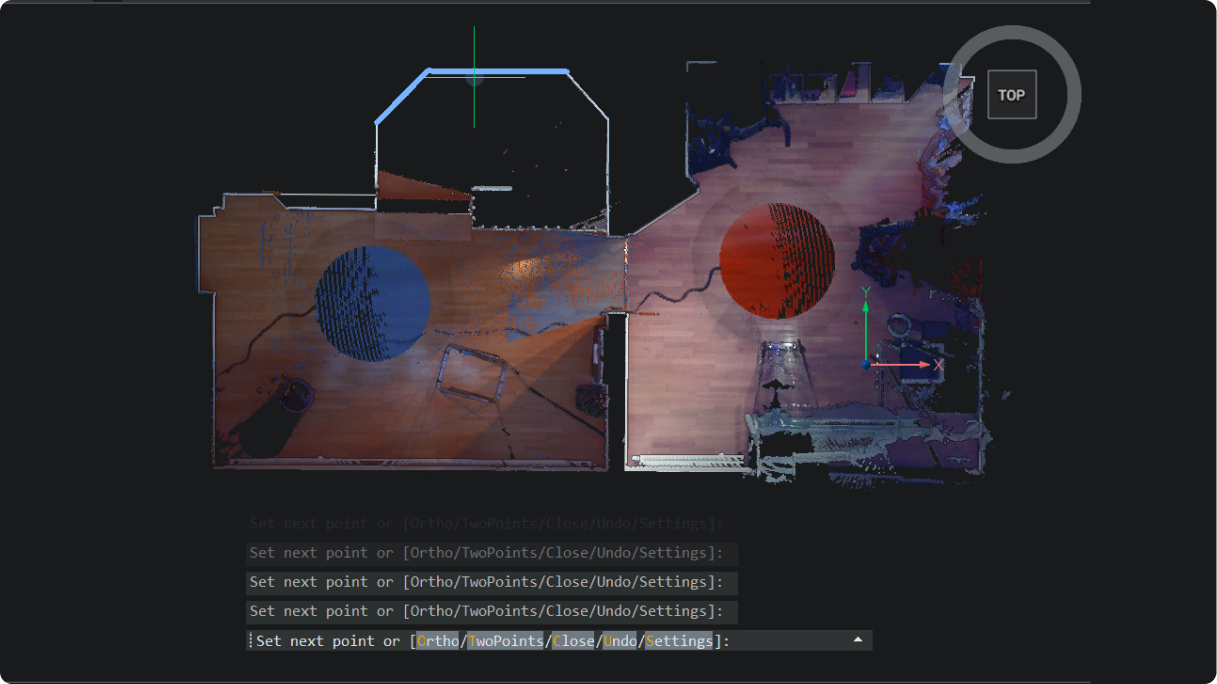
2D polyline tracing on point clouds

BricsCAD

新增

點雲上的 2D 聚合線追蹤

在點雲上輕鬆描繪多重線,每段只需按一下,即可快速、精確地完成線性工作 (POINTCLOUDTRACE)。

bricsys-iconBricsCAD 特有

列印與發佈

BricsCAD Civil Explorer GIS panel showing cadastral parcels, roads, and utility layers overlaid on an aerial map view.

BricsCAD 測量工具集

新增

GIS 匯出指令選項

全新的使用者介面配備可自訂的共用設定檔,不僅簡化了 GIS 匯出流程,也讓物件選取過程更加一致。

V26.2

IFC export dialog box

BricsCAD BIM

新增

IFC 匯出對話方塊

IFC 匯出對話方塊可完整顯示待匯出的幾何圖形與資料。其中包含篩選器、使用者設定檔及其他設定選項。

V26.2

BricsCAD®特有

BricsCAD V26 標誌

現已上市!

取得最新版

免費試用30天
立即購買
BricsCAD V26 visual