Getting started with BriscCAD
Step one: CAD download and installation

Download BricsCAD
Before You Download
Find answers to common questions, check the system requirements for your operating system, and learn about our licensing options to get started with BricsCAD.
Can you download BricsCAD for free?
Are you curious about BricsCAD? You can try BricsCAD for free for 30-days. During the trial, you can access any BricsCAD license level from BricsCAD Lite right up to BricsCAD Ultimate. If you're a student or educator, you can download BricsCAD Ultimate for free with an academic license.
How to download BricsCAD
How to install BricsCAD
What are the system requirements to run BricsCAD?
Choosing your BricsCAD license level

Scopri BricsCAD
Il Software CAD più Adatto alle Tue Esigenze Progettuali
BricsCAD consente agli esperti di creare rappresentazioni progettuali più accurate, sostituendo la stesura manuale e consentendo uno sviluppo, una modifica e un'ottimizzazione migliori. Gli ingegneri possono creare progetti più dettagliati e manipolarli virtualmente, poiché il software CAD calcola la relazione tra più materiali.
BricsCAD offre la suite di strumenti più completa pensata per soddisfare le tue esigenze di progettazione. Dalle prime fasi di progettazione 2D ai modelli 3D finali utilizzati per la produzione o la costruzione, il nostro solido set di prodotti semplifica la creazione di un flusso di lavoro ottimizzato.





Cosa c'è in BricsCAD per Te?
Familiar & DWG Compatible CAD Download
Choosing BricsCAD provides you with a compatible, dwg-based CAD software in a single download. It allows you to open, edit, and save .dwg files without conversion, ensuring seamless collaboration with users of other dwg-based CAD platforms. You can start working with any .dwg file immediately in BricsCAD, supporting your design process efficiently.
BricsCAD allows you to design freely and collaborate effectively with its .dwg compatibility. You can open .dwg files in your current CAD system, work on them in BricsCAD, save them, and then open them in other CAD software without converting the file. This also means you can share your designs with others working in other .dwg-based CAD systems and vice versa. So you can rest easy knowing that these designs will be displayed correctly.
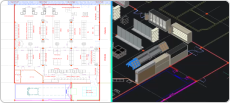
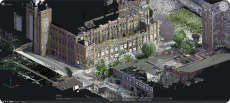
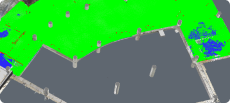
When you receive a .dwg file from a colleague or client, you can begin working with it immediately. All versions of BricsCAD are compatible with .dwg files, so whether you're using BricsCAD® Lite, BricsCAD® Pro, BricsCAD® BIM or BricsCAD® Mechanical, BricsCAD ensures your design process is fully supported. For example, the Scan-to-BIM workflow in BricsCAD BIM allows you to create a landscape and building from scanned data, and BricsCAD creates these files in native .dwg so you can use them throughout various stages of your project.

CAD Software for 2D design
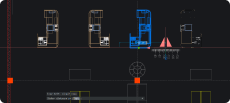
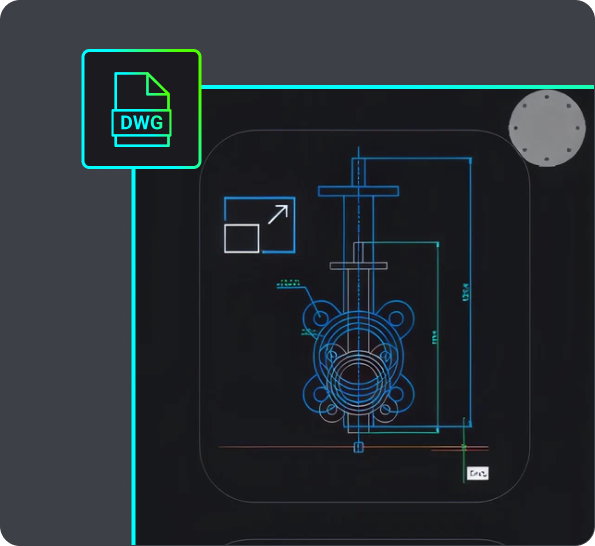
If you want to download 2D CAD software, your best bet is BricsCAD Lite! Download BricsCAD Lite and benefit from a professional, DWG-based 2D CAD software that is complete with AI-driven productivity tools. BricsCAD Lite delivers a familiar CAD environment catering to your 2D drafting needs, allowing you to create and annotate detailed drawings like floor plans easily. You also have the power to optimize drawings you may receive from a client or colleague, ensuring that your drawings are reliable and accurate and your workflow is efficient. Plus, with the capability to create customizations via LISP, BricsCAD Lite ensures that your CAD software for 2D design works just how you need it to.
3D modeling CAD software
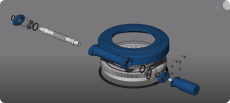
On the hunt for new 3D CAD software? BricsCAD Pro is a powerful CAD platform with 2D drawing and 3D modeling capabilities. Go from a 3D model to a 2D drawing with commands like VIEWBASE and generate 3D models from 2D geometry with parametric and direct modeling tools. Import and work with survey data, create TIN surfaces, and generate annotated drawings. BricsCAD Mechanical is equipped with mechanical toolsets for 3D assembly inspection and 2D documentation for production. BricsCAD BIM's Scan-to-BIM workflow lets you create 3D models of buildings easily.

UTILIZZO DI BRICSCAD
Esplora il CAD
Strumenti di Progettazione
- Software CAD 2D
- Software CAD 3D
- Software di Rendering 3D
- Software di Modellazione 3D
- Disegno Meccanico
- CAD Download
Scopri i Fatti
Domande Frequenti
Come posso aggiornare all'ultima versione di BricsCAD?
Se hai la BricsCAD Maintenance, puoi scaricare l'ultima versione di BricsCAD senza acquistare una nuova licenza. Accedi al sito di Bricsys, vai nella sezione download, seleziona l'ultima versione e vedrai il download del nuovo CAD. Se non hai la BricsCAD Maintenance, puoi acquistare l'ultima versione BricsCAD tramite l'e-store Bricsys: accedi, scegli l'ultima versione BricsCAD e completa il pagamento.
How do I get BricsCAD Maintenance?
Can I download an older version of BricsCAD?
How to transfer my BricsCAD license to another computer?
Where can I find support for BricsCAD?
Aiuto & Supporto
Ottieni aiuto su BricsCAD
Dal logo aziendale ufficiale Bricsys agli ultimi comunicati stampa, siamo qui per aiutarti.

Dai un'occhiata al Centro Assistenza di BricsCAD
Hai domande specifiche? Cerca tra gli articoli della guida, i tutorial e il riferimento ai comandi.

Contatta il Supporto
Non hai trovato quello che cercavi? Mettiti in contatto con il supporto Bricsys.
Prova di 30 giorni
Inizia a progettare in
BricsCAD oggi!
