What is Octave BricsCAD?
The true CAD alternative
Combining familiarity, flexibility, and performance to help the design industry break free from current platforms.



BRICSCAD WORKFLOW
The fastest path from design concept to complete and accurate production drawings


Initial Design
concept/model

Design Development
refine

Detailed Design
documentation
Production
make/build

Native .dwg or import any design format
A CAD platform based on industry standards so users can work with existing designs and those of their suppliers.

Advanced editing and optimization
A unified 2D and 3D design platform built for people who need to turn concepts into fully working designs, with precision and rigor.

Accurate detailing and annotations
Unique tools that intelligently automate your design processes to streamline, simplify, and enhance complex detailing and annotation tasks.

Automated drawing generation
Transform any design into production-ready deliverables with smart automations supercharging productivity.
CAD TOOLSETS
A DWG-based CAD platform with flexible product options
Choose from a set of professional CAD and modeling tools made for engineers, builders, designers, architects, and manufacturers.


Design Platform
 1
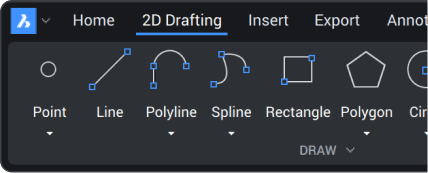
12D drafting
 2
23D modeling
 3
3Surveying
4BIM
 5
5Mechanical
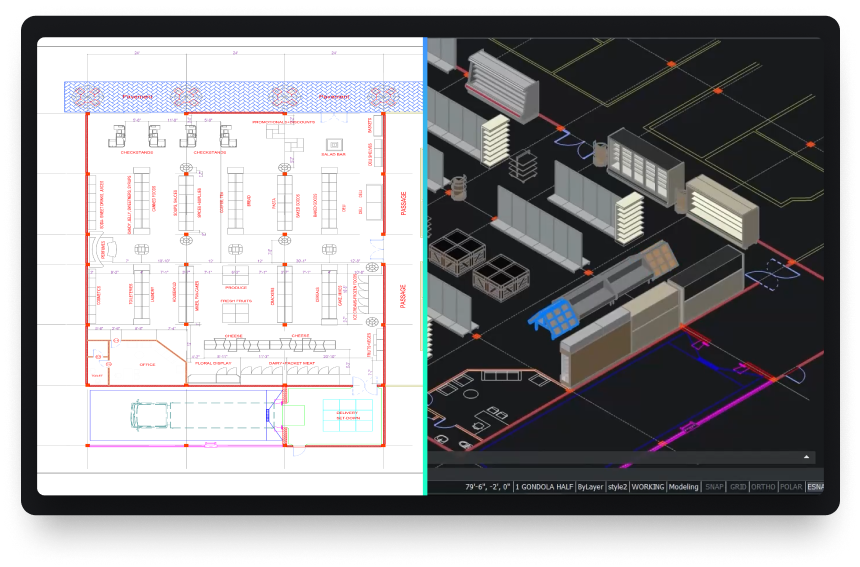
Powerful design platform
Quickly transform any design concept into production-ready deliverables.

customize
The open CAD platform built to scale across industries
BricsCAD offers a robust application ecosystem and powerful customization options.


Add industry-specific toolsets with third party applications
Customize your package choosing from hundreds of add-ons developed by best-in-class partners.
Build on BricsCAD via LISP, .NET or BRX APIs
Design and build your own workflow automation tools using BricsCAD’s compatible APIs.

Automate everyday workflows with LISP
Reuse existing or create new LISP routines to bring new power to your workflows in BricsCAD.

Work the way you want in BricsCAD
Bring your current menus, command scripts, customizations and templates into BricsCAD.
data exchange
Seamless integration and comprehensive compatibility
BricsCAD lets you exchange design data freely across all project stakeholders and all major file formats.

Default supported file formats
*Included in all BricsCAD product levels
DWG

DWG

DXF

DWT

ACIS SAT


Micro Station

Colada

JPEG

TIFF

Draftsight

Wavefront
Additional BIM file formats
*Included in BricsCAD BIM and BricsCAD Ultimate

Rhino

Sketchup

Revit

IFC
Additional 3D & Mechanical file formats
*Requires Communicator for BricsCAD - Learn more

Parasolid

CATIA

Creo
3D PDF

Solidworks

Inventor

STEP

IGES
Siemens NX

ACIS

STL

Solid Edge
30 day trial
Start designing in BricsCAD today!
