You can’t design confidently if you don’t understand the ground you’re building on. BricsCAD V26 introduces new tools that make it simple to cut through your model, visualize the terrain, and keep everything dynamic as your project evolves. Let’s explore how these tools work together and how they can work for you.
Cut Through the Terrain With Ease
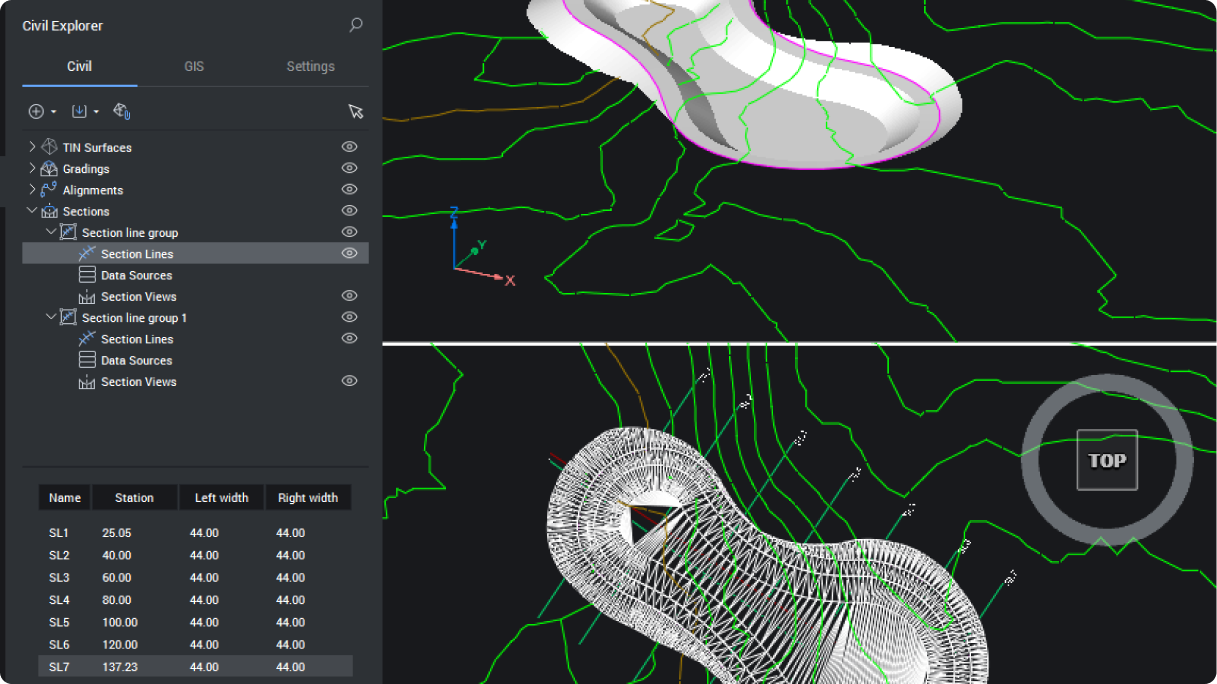
Starting with your existing TIN surface and your design model, you can define an alignment—the path you want to analyze—and then place section lines along it. You set the spacing and limits and BricsCAD handles the rest, automatically organizing every station.
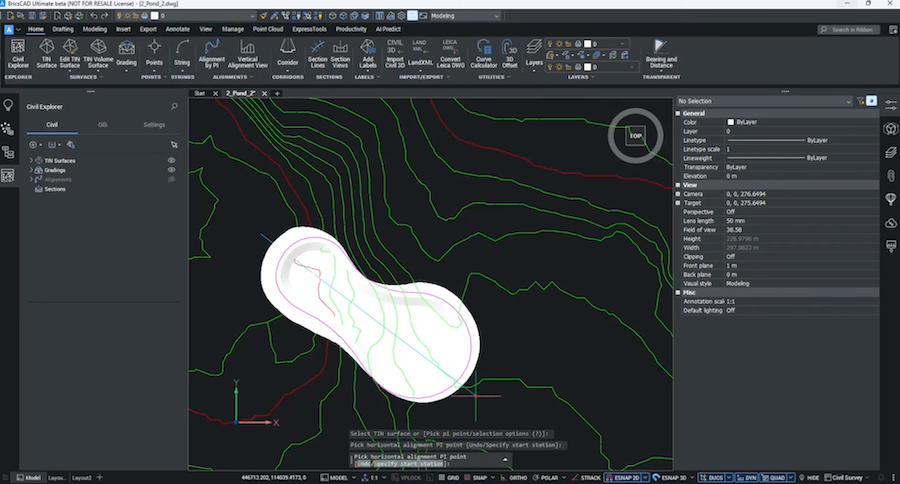
Once those lines are in place, section views are just a click away. You can choose which entities should appear using the managed data sources option and place the resulting views where they make the most sense for your layout. Adjust the annotation scale for clear readability, and you’re ready to dive into the terrain.
Style and Update Everything Without Rework
Section views are fully customizable. In Civil Explorer panel, you can apply vertical exaggeration, clean up what’s displayed, tweak line colors, and choose which attributes you want to label.
The best part: the views stay dynamically linked to the model.
If you slide a section line in Plan, the section view updates instantly. If you add a new entity—like a wall—you simply include it in the data source and it appears automatically anywhere the section cuts through it. No deleting, no re-creating, no lost time.
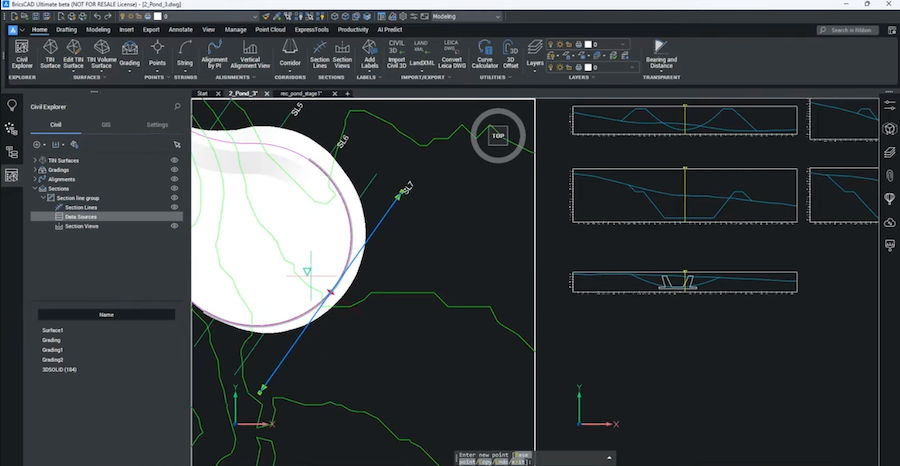
And when you’re ready to finalize your documentation, adding offset and elevation labels to key points is quick and fully associative.
Work With Clarity and Confidence
With these new tools, BricsCAD V26 helps you understand terrain impacts earlier, present design intent more clearly, and adapt faster when your project shifts. Your sections stay accurate. Your drawings stay consistent. And your focus stays exactly where it should be: on making smart decisions.
Now it’s your turn. Download today and check out the civil sections and section views in BricsCAD V26. See how much easier it is to design.